

Arwise
Financial responsibility at a glance.
A private, offline ledger for people who gamble casually and want a number they can trust.
Coming soon to the App StoreWins are memorable. Losses blur.
A good night sticks in your head. The small losses in between tend not to.
And your bank statement won’t help: a casino night and a grocery run look the same. By the end of the month, it’s hard to say where you actually stand.
Three things, done simply.
-
Set a limit once
Enter your monthly take-home pay, debt payments, and living expenses. Arwise shows what’s left over.
You choose what share of that leftover is your monthly limit, from 1% to 40%. It starts at 2%. You see the limit as a dollar amount and as a share of your total income.
-
Start tracking in five seconds
Amount, Loss or Win, and the date. Add the venue and game if you like.
−$150 Loss
-
Read one bar
The Today screen shows what you’ve spent against your monthly limit, with one plain sentence about where you stand.
Your status is Under pace, Over pace, or Over your limit.
Position beats a total.
A running total only tells you how much. It doesn’t tell you whether that’s a lot for this point in the month.
- 60% used on the 5th and 60% used on the 28th are different situations.
So the bar has a marker where an even pace would put you today. If your spending is left of the marker, you’re under pace. Right of it, you’re over.
Left to spend
$950
$100 of your $1,050 limit
Cool heads prevail.
The limit you set with a clear head should be the one that counts.
Lowering your limit applies immediately
Raising it waits a full 24 hours. You’ll see a countdown, and you can cancel the change at any time before it takes effect.
A heads-up before the edge
Set a warning threshold anywhere from 50% to 95% of your limit. As you approach it, the message on the Today screen changes.
For your eyes only.
- No account
- No server
- No analytics
- No network requests
Everything stays on your iPhone. The honest tradeoff: deleting the app deletes your data. It may be included in your device’s own iCloud or computer backup, which you and Apple control, not Arwise.
It does arithmetic. That’s all.
- No connection to any sportsbook, casino, or betting account.
- No real or virtual currency, and no payments.
- No odds, tips, or predictions.
- No advice on whether, how much, or when to gamble.
What you’ll see.
-
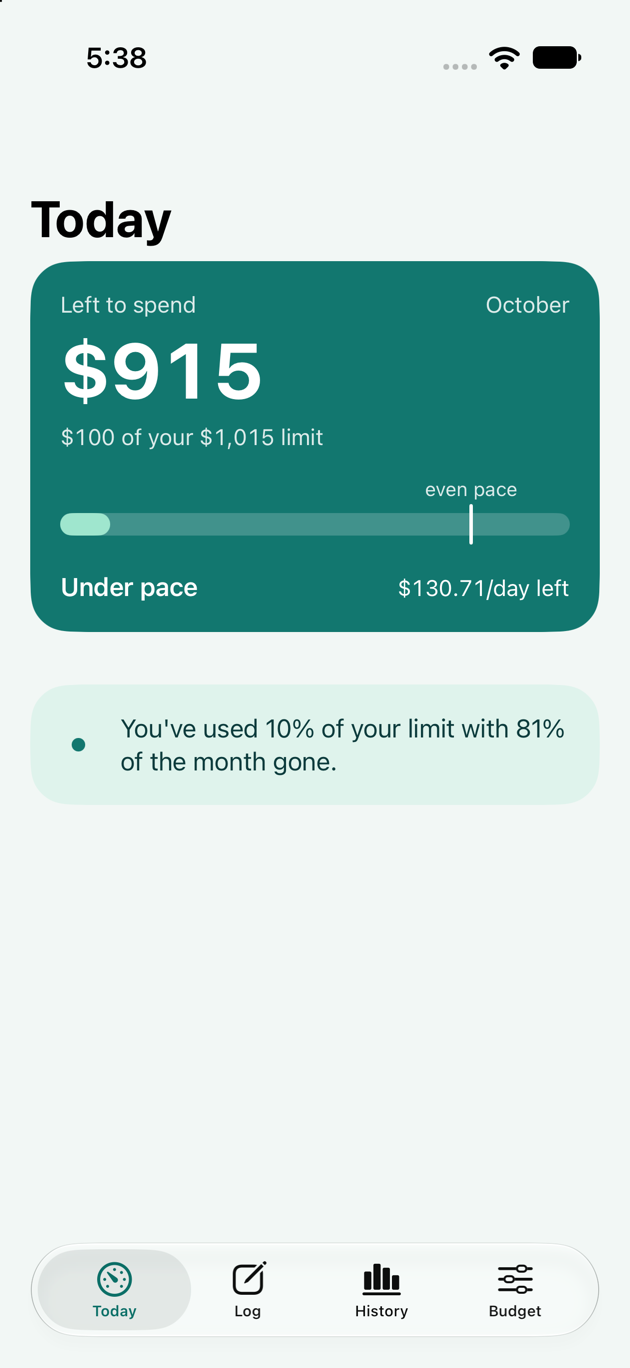
Today -
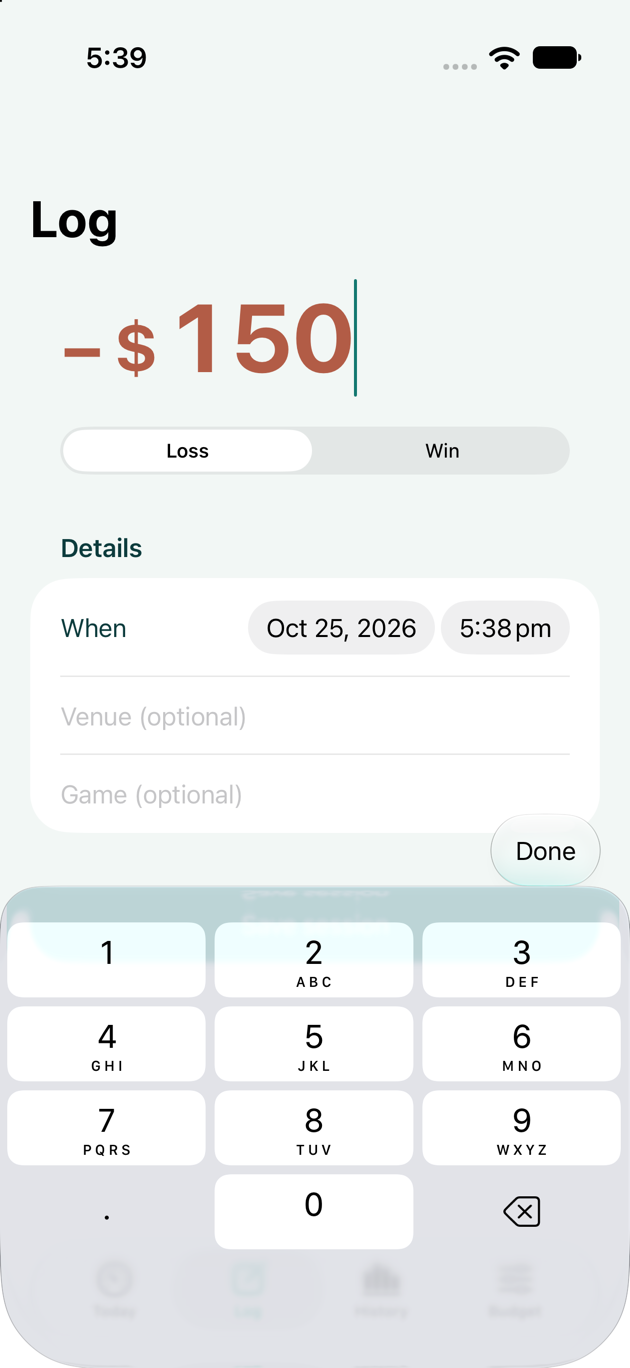
Log -
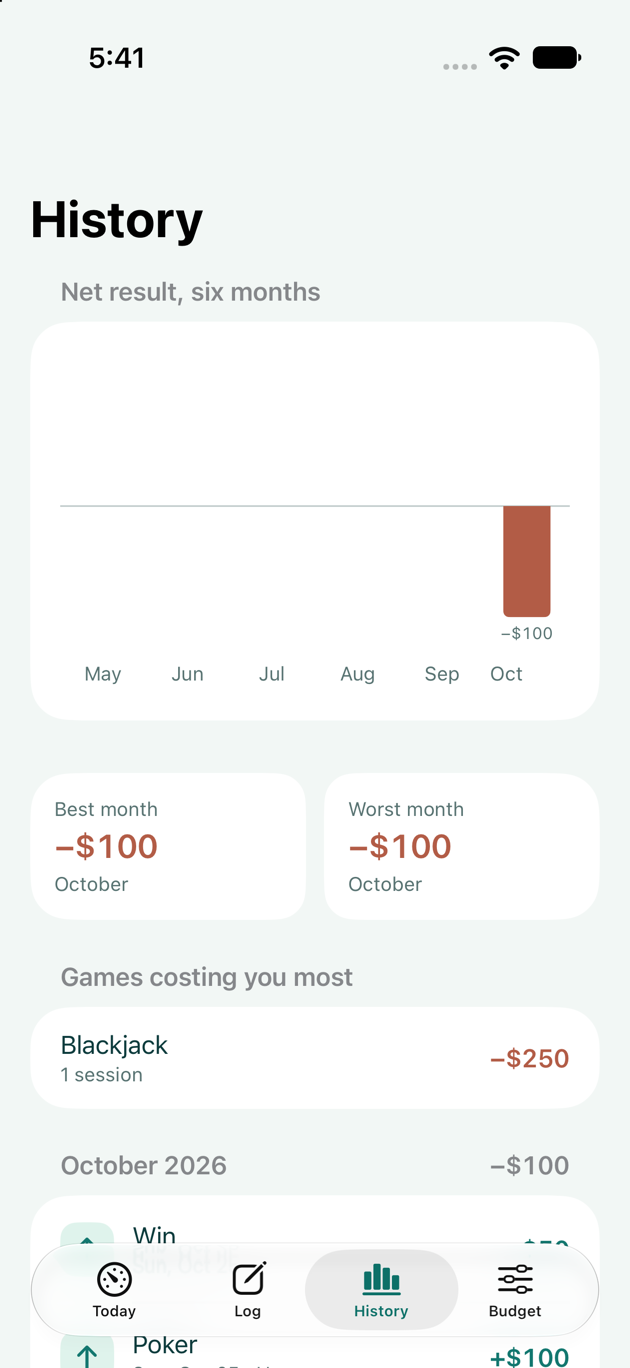
History


Know where you stand this month.
Set your limit once. Log in seconds. Read one bar.